

Industrial Intelligence,
Unified.
Connect every sensor, PLC, and edge device on your plant floor — and monitor everything in real-time from a single, high-performance desktop command center.
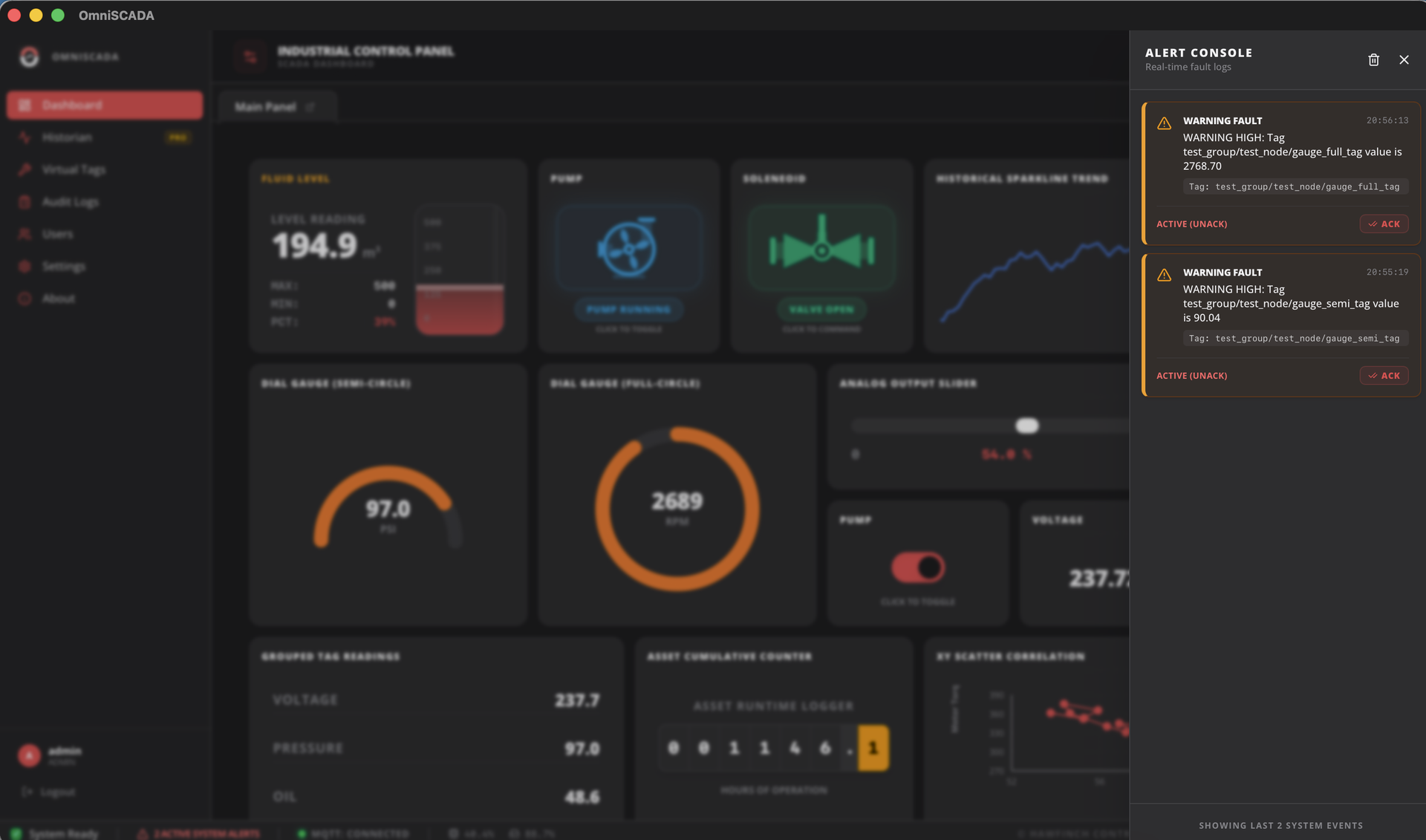
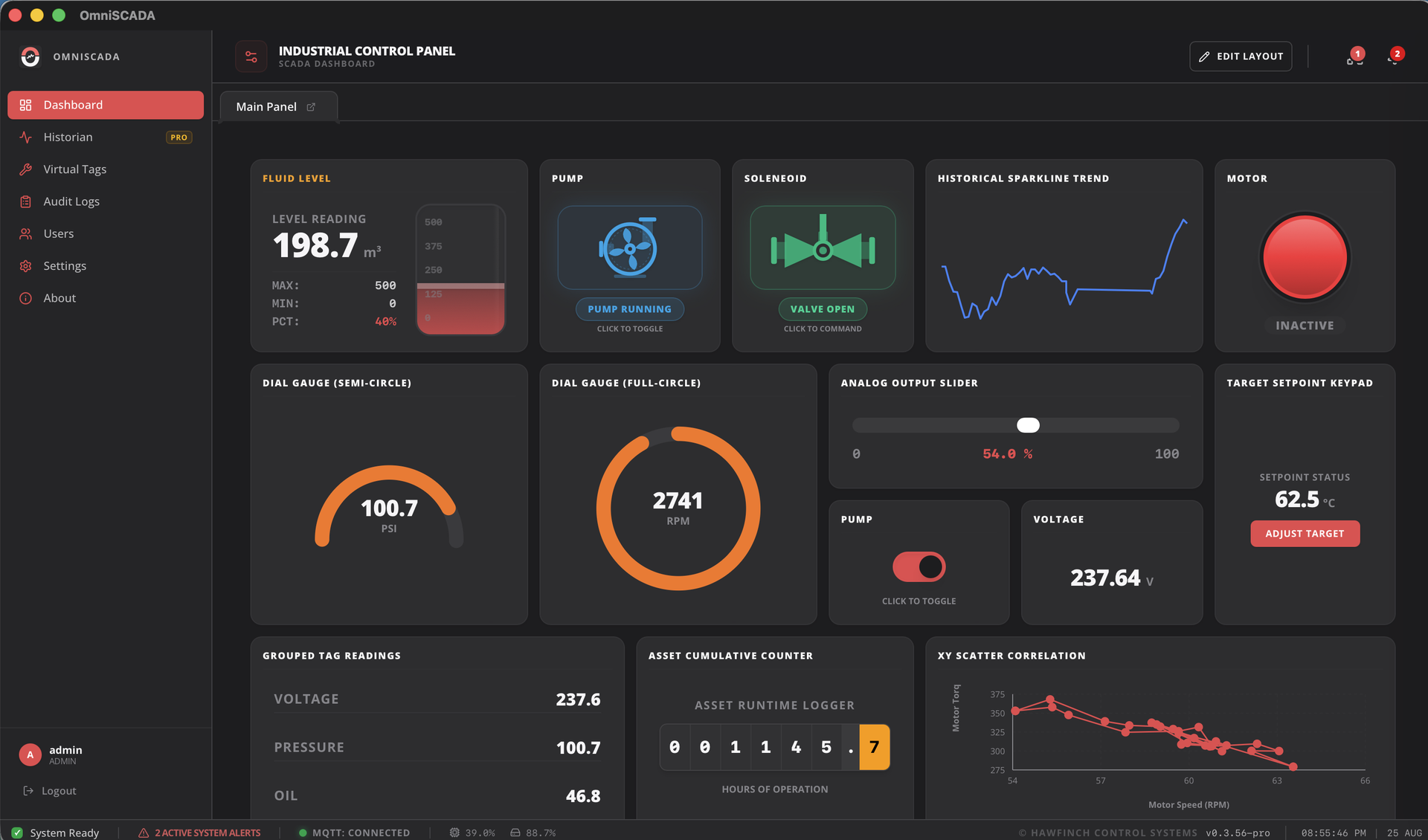
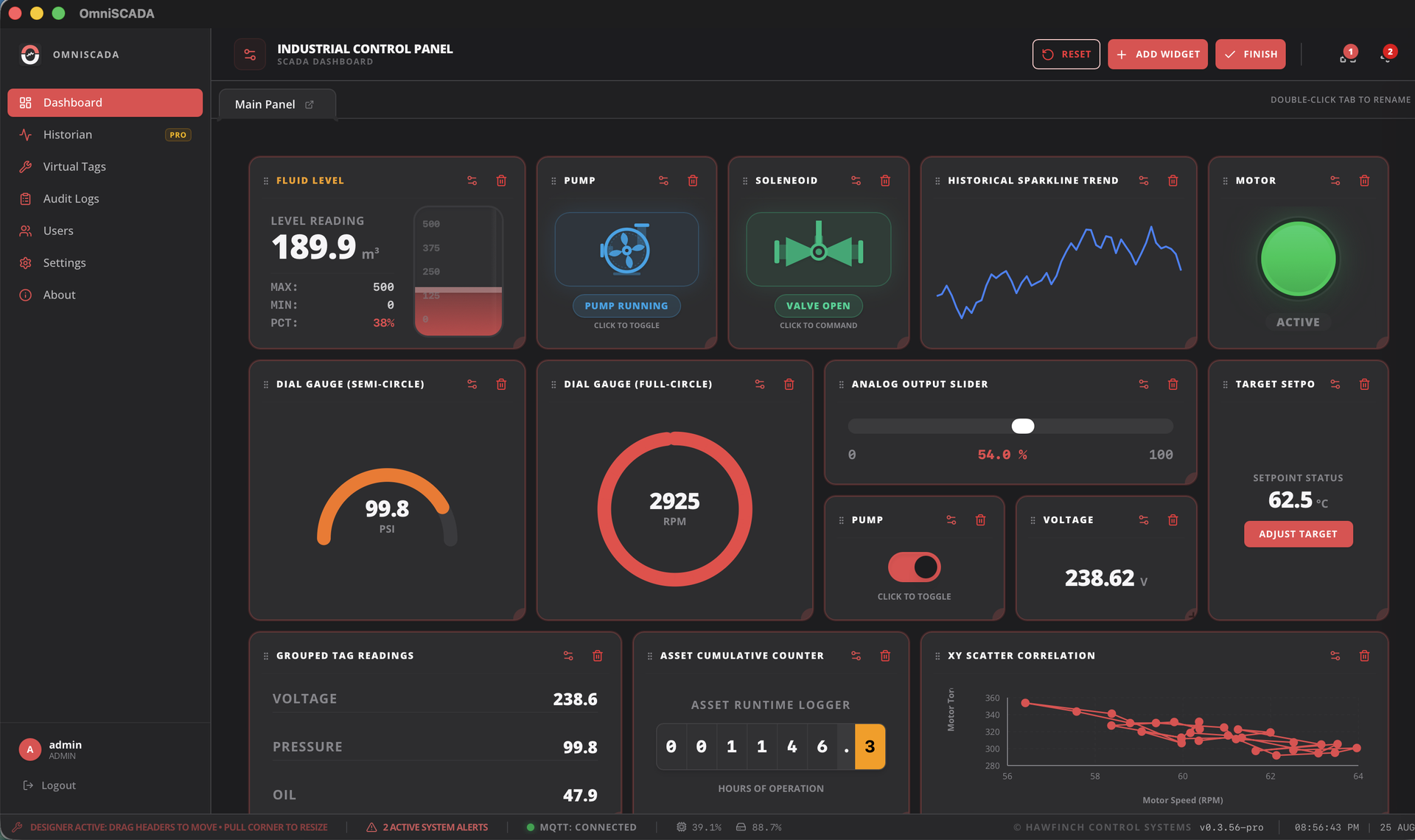
Your entire plant, visible in one glance.
OmniSCADA ingests thousands of live data points from field devices and renders them instantly — no polling, no delay. Every tag update propagates to your dashboard in under a millisecond.
- Drag-and-drop dashboard workspace — fully configurable without coding
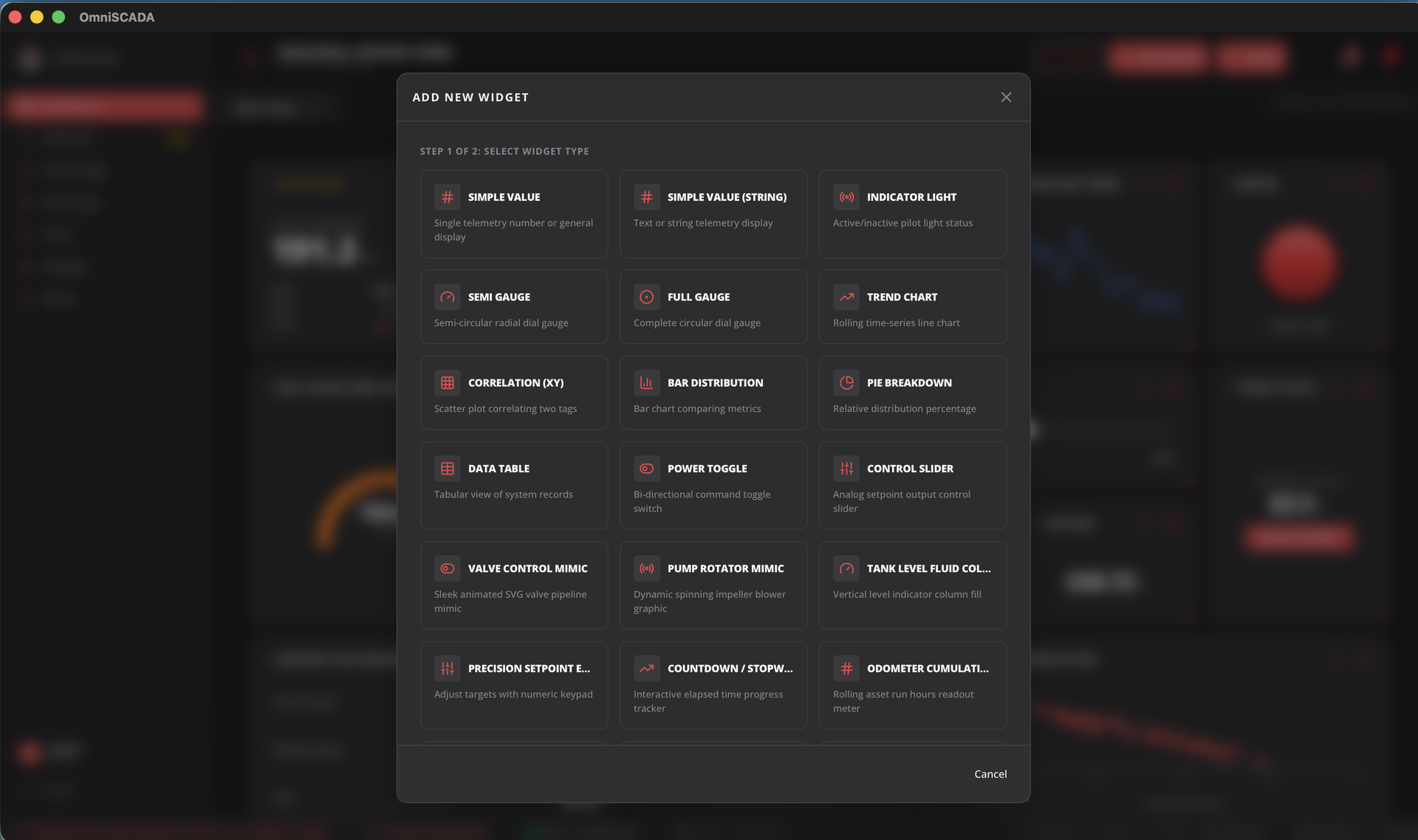
- Gauges, trend charts, bar charts, tables, tank levels, pump states — all live
- Multi-window detached panels for multi-monitor control rooms
- Zero-lag rendering engineered for >60 Hz update rates
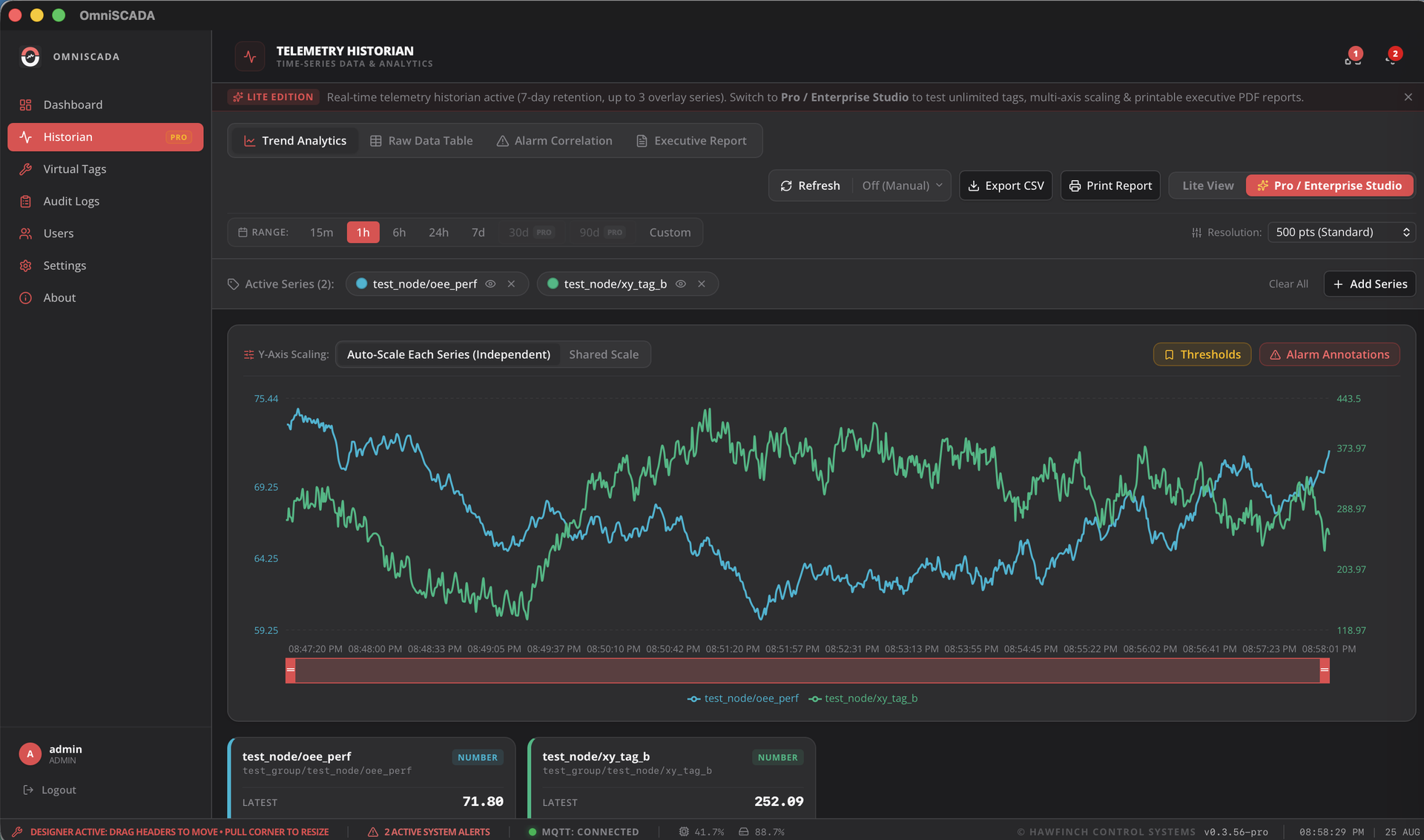
Every data point. Every moment. Always.
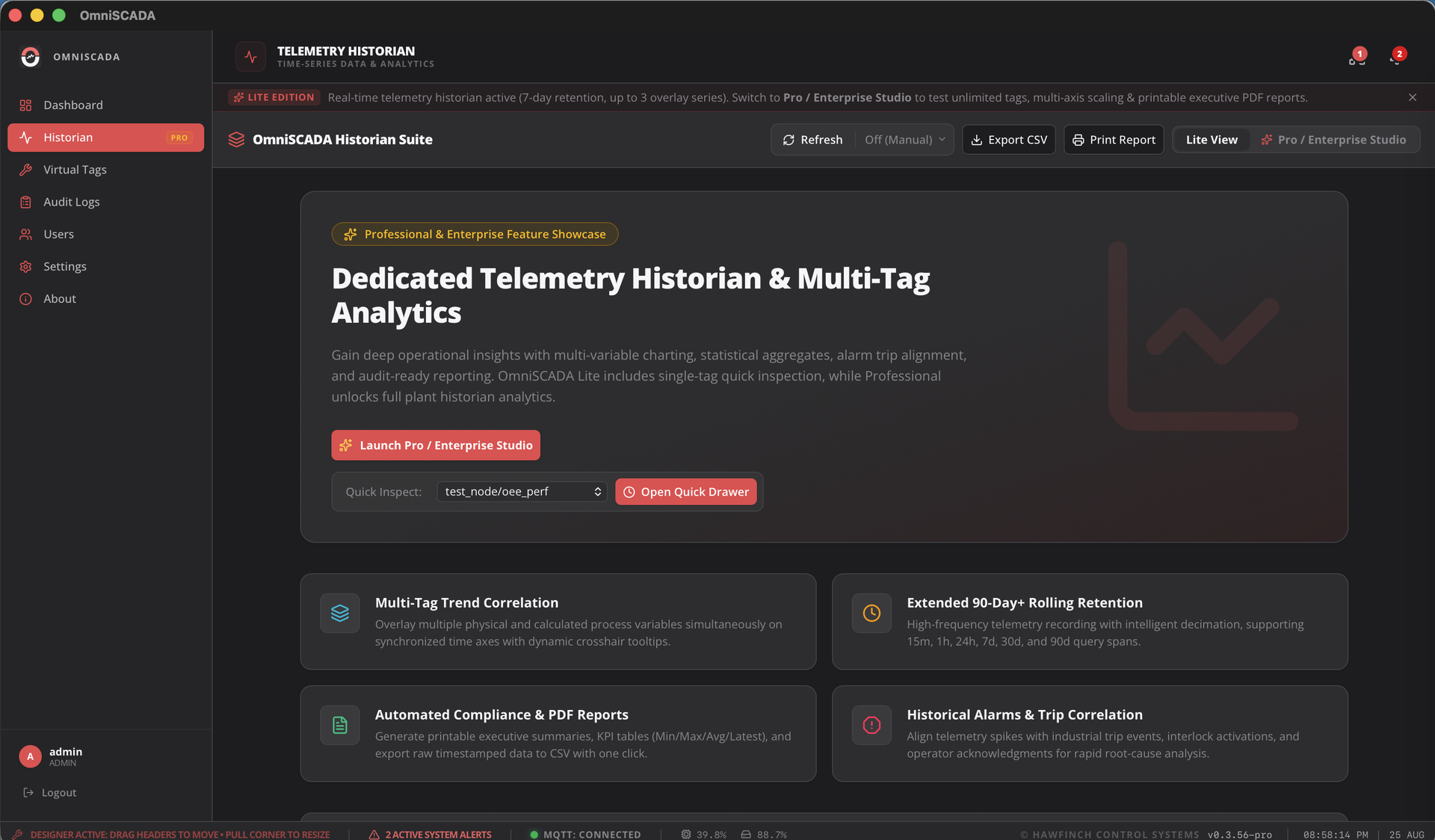
The built-in Historian captures every telemetry measurement with microsecond precision. Replay trends, generate compliance reports, export raw datasets — without leaving the platform.
- Interactive trend charts with zoom, pan and multi-tag overlay
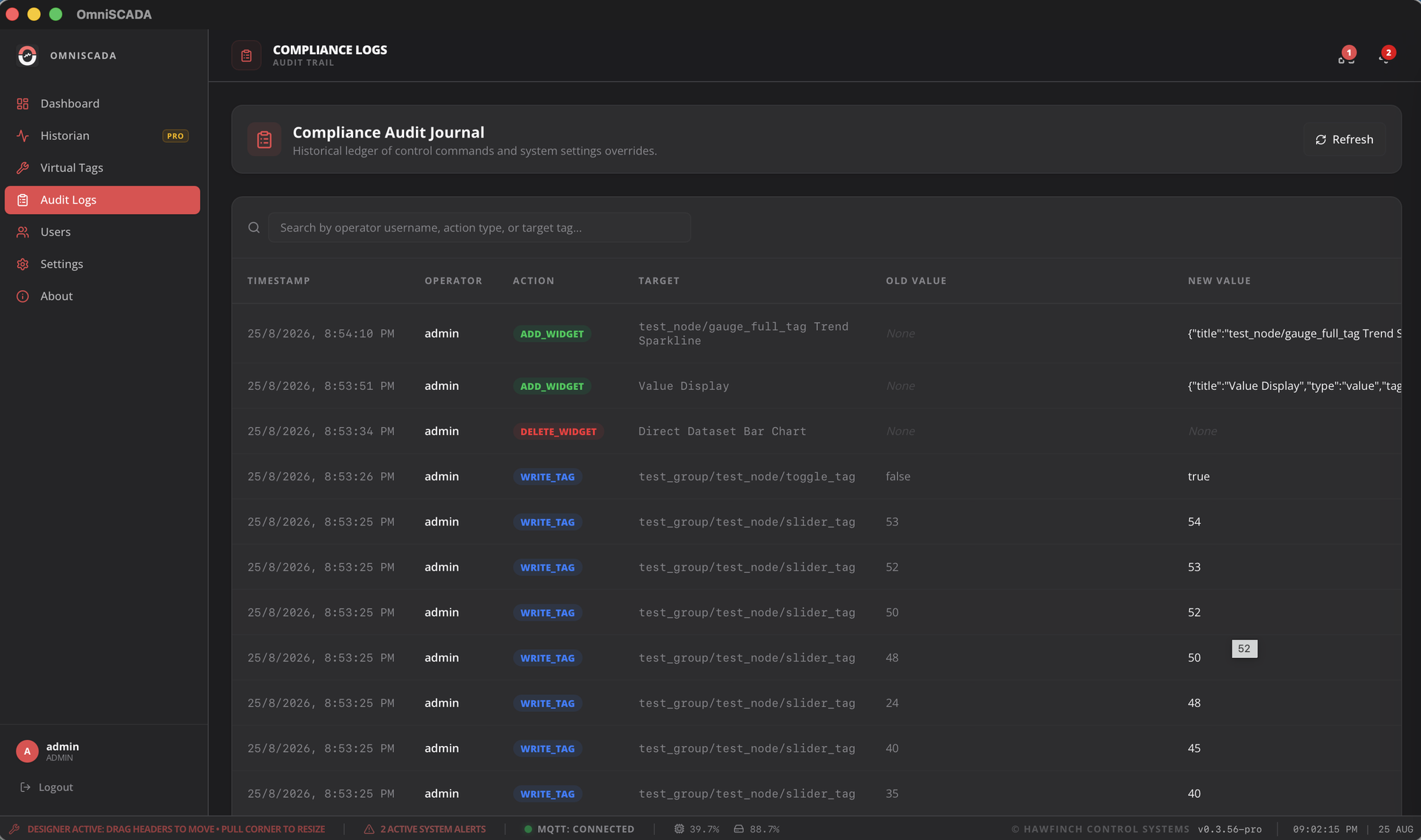
- Compliance-ready audit exports (CSV, JSON) with timestamped records
- Local SQLite + optional PostgreSQL for unlimited scalable storage
- Configurable retention policies and automated pruning
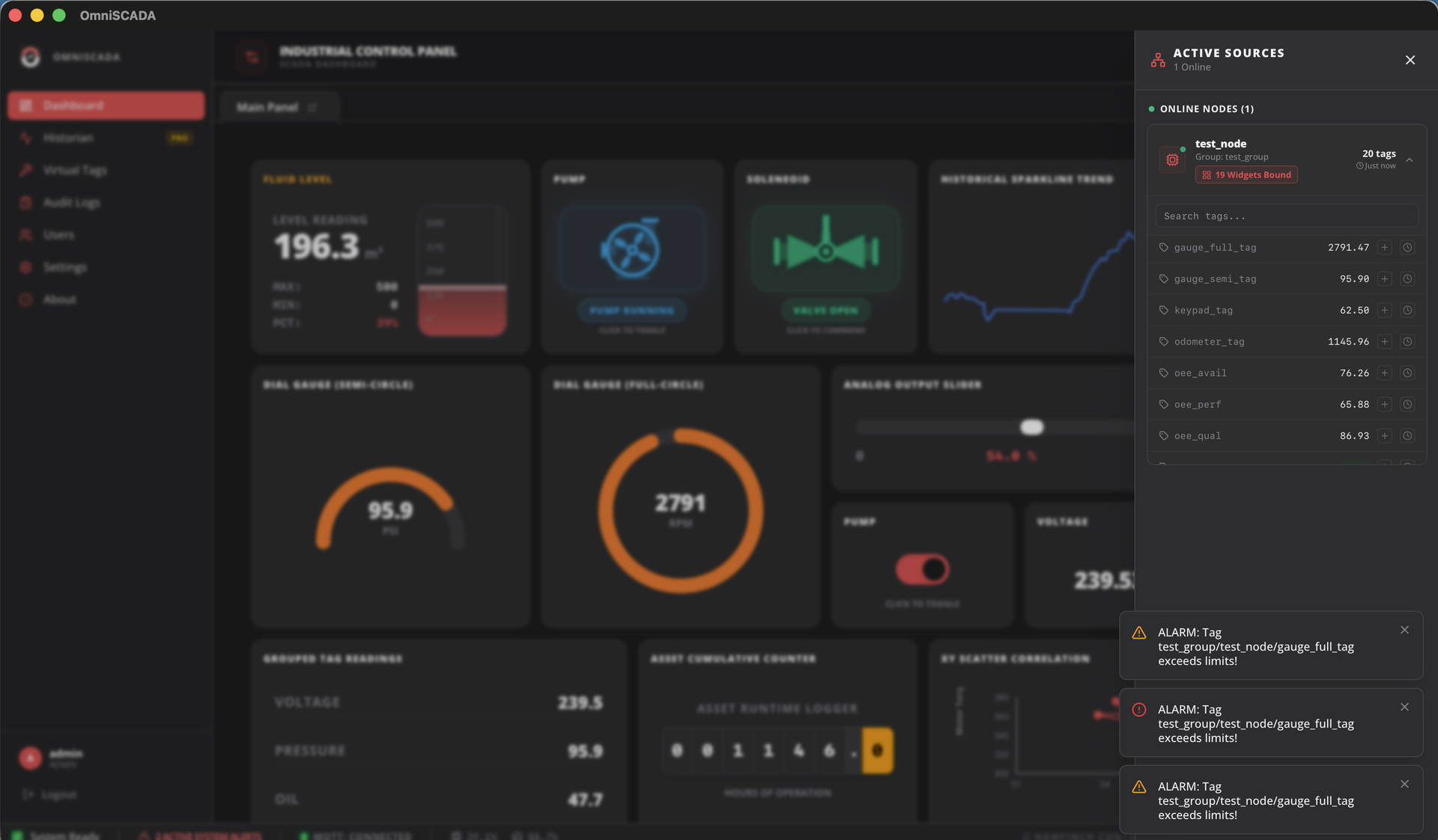
Know the instant something goes wrong.
Configurable alarm rules with multi-channel notifications ensure your team responds before a process issue becomes a production loss. Every alarm is tracked, timestamped, and auditable.
- Hi/Lo/HiHi/LoLo threshold alarms with deadband filtering
- Email and SMTP notification channels per alarm rule
- Operator acknowledgement workflow with full audit trail
- Alarm console with filter, sort, and per-tag history
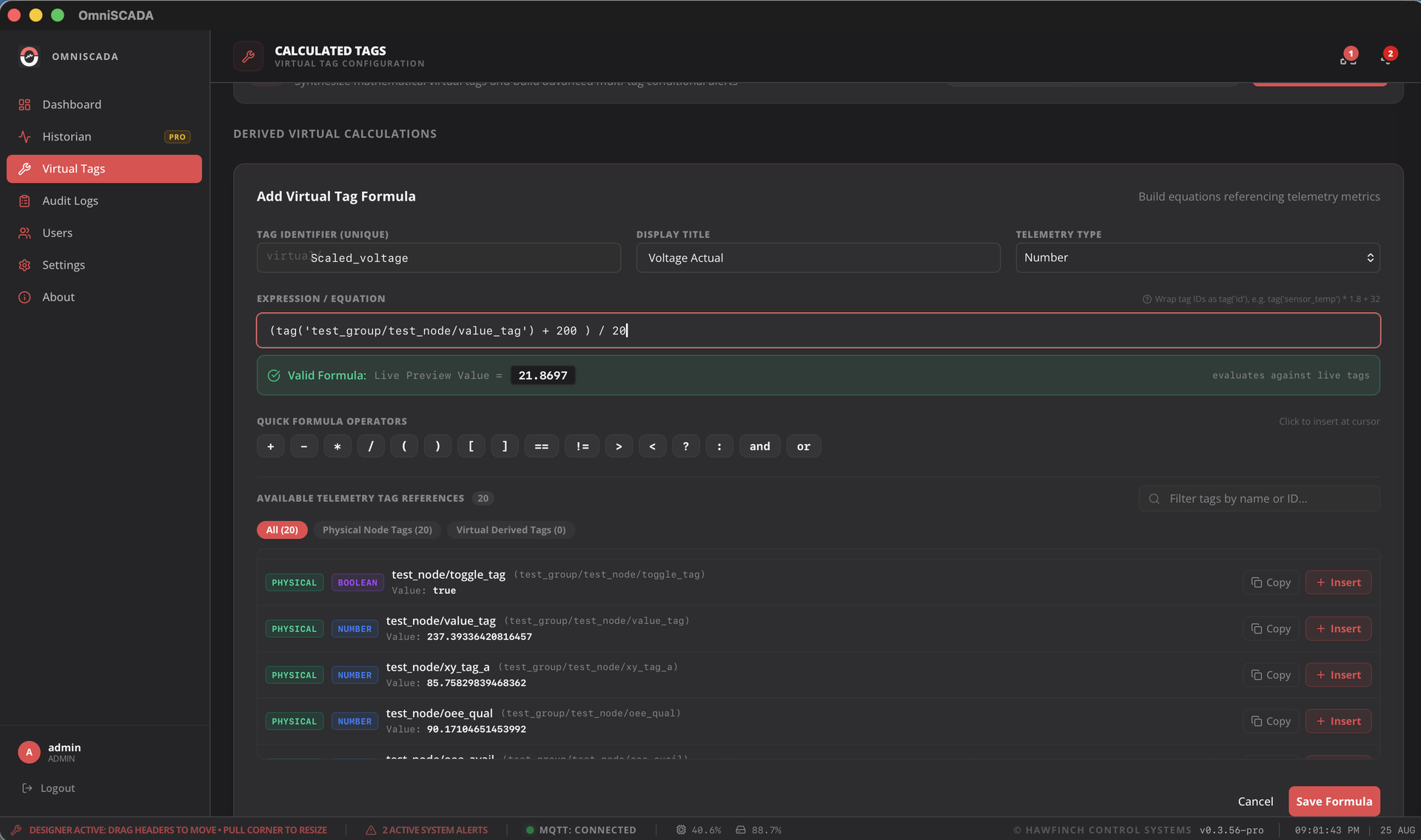
Compute KPIs without touching your PLC.
Define mathematical expressions and logical formulas that combine multiple raw tags into computed metrics — OEE, efficiency rates, utilization percentages — updated live from the platform.
- Expression engine with arithmetic, logic, and math functions
- Chain virtual tags — reference computed values in other formulas
- Treated as first-class tags — plot on charts, trigger alarms
- Non-blocking evaluation — never slows your live dashboard
Everything You Need
Built for the plant floor. Ready for the enterprise.
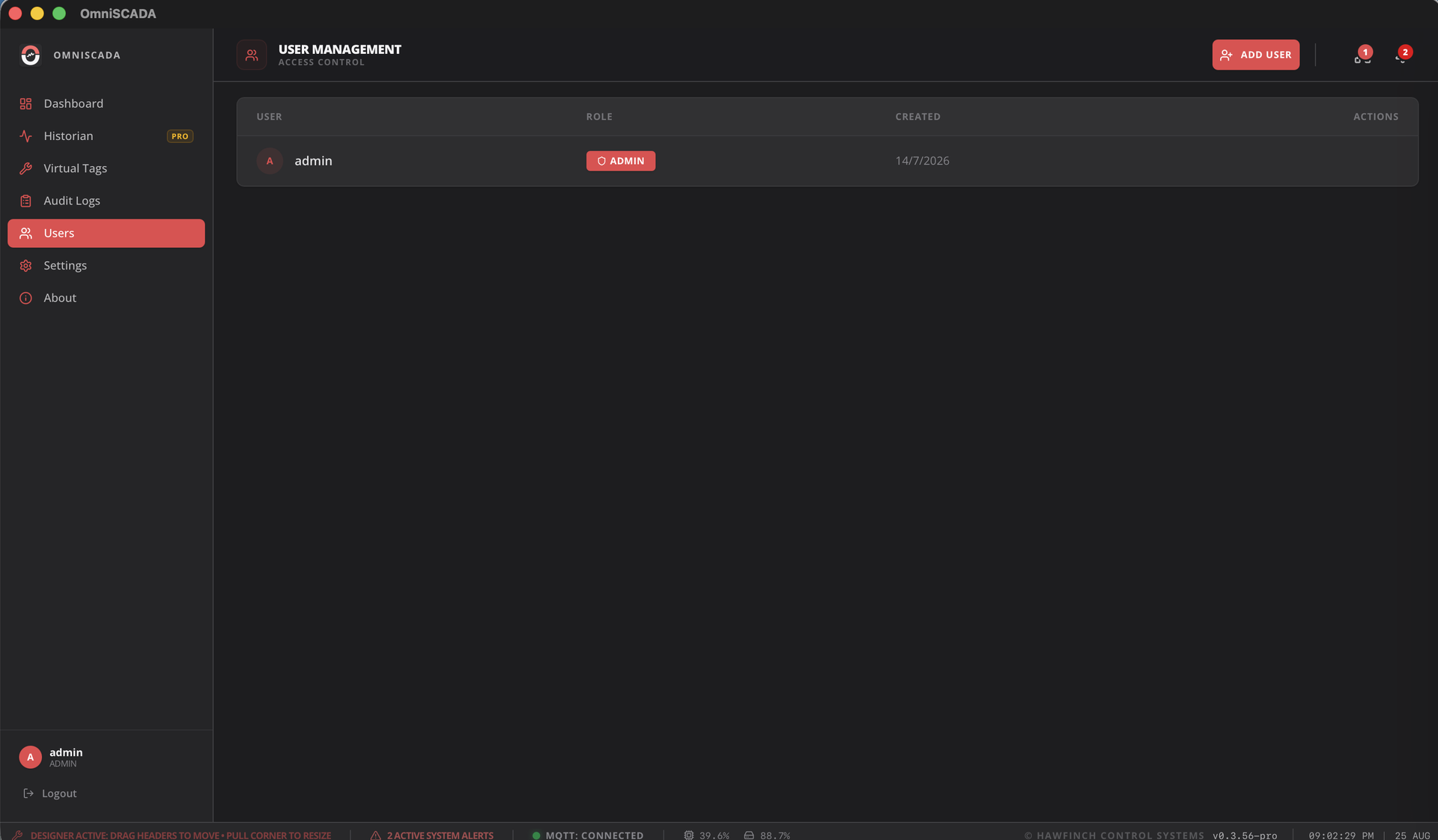
Three-tier RBAC — Operators monitor, Engineers configure, Administrators govern. Every action is enforced at the platform level and logged immutably.
Sub-millisecond tag updates. Handles bursts of thousands of metric changes per second without dropping a single value.
Real-time animated tanks, valves, pumps, gauges, and sparklines. Visual process indicators with customizable thresholds and alarm states.
Start with embedded SQLite for edge deployments. Seamlessly migrate to PostgreSQL for enterprise-scale historians — live, no downtime.
AES-GCM encrypted credentials, JWT session management, Argon2 password hashing. Compliant with industrial cybersecurity standards.
Silent, cryptographically-signed over-the-air updates. Deploy new versions to all plant workstations with a single click — zero downtime.
Network interruption? Data is buffered on-device and automatically replayed to the historian when connectivity resumes — zero data loss.
Generate audit-ready compliance reports from historian data. Full operator action logging with tamper-evident immutable audit trail.
Built-in performance diagnostics, system health monitoring, and structured telemetry tracing to help your team identify and resolve issues fast.
Who It's Built For
The right fit for every industrial vertical.
OmniSCADA is designed for any environment where real-time process visibility, control, and data integrity are mission-critical.
 Manufacturing
Discrete & Process Manufacturing
Monitor production lines, track OEE, manage machine states, and receive instant alerts when cycle times deviate — all from a single unified dashboard.
 Energy & Utilities
Power Generation & Grid Monitoring
Track generation output, consumption metrics, load balancing, and equipment health across distributed energy assets — with full historian trend analysis.
 Oil & Gas
Pipeline & Well-Site Monitoring
Remotely monitor pressure, flow, temperature and valve states across geographically distributed well sites. Alarm immediately on deviation from safe operating ranges.
 Water & Wastewater
Treatment Plant Operations
Monitor dosing pumps, flow meters, pH sensors, and tank levels in real time. Generate regulatory compliance reports automatically from the historian.
 Building Automation
Smart Building & HVAC Control
Centralize control of HVAC, lighting, and access systems. Use virtual tags to compute energy efficiency ratios and trigger automated responses to occupancy patterns.
 Pharma & Food
Regulated Process Industries
Meet 21 CFR Part 11 and GMP requirements with immutable audit logs, role-based access, electronic signatures, and tamper-evident historian records.
How It Works
From your device to your dashboard — in milliseconds.
Connect Your Devices
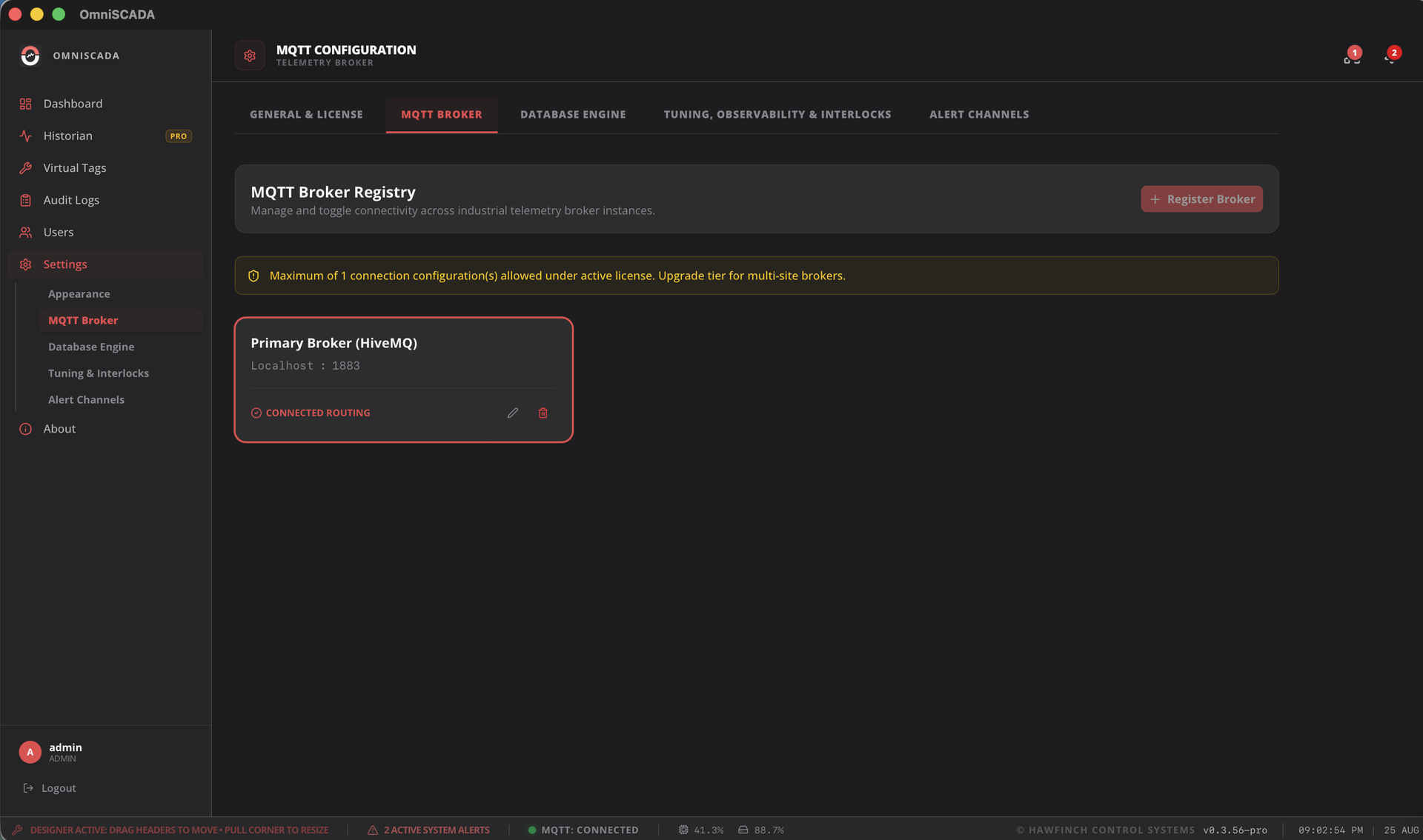
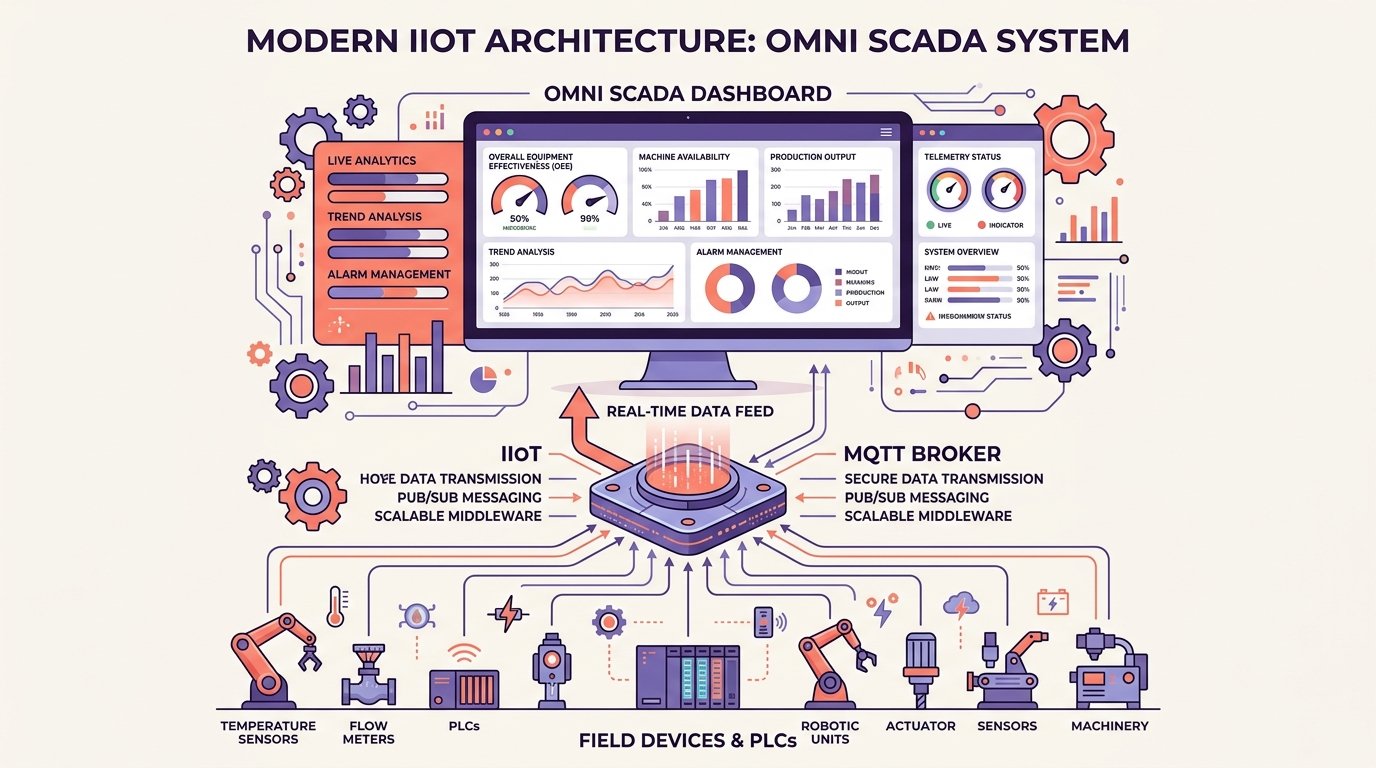
Use any of our multi-language SDKs (Python, Node.js, .NET, Rust) or the Omni-Gateway to connect PLCs, instruments, and edge hardware — via Modbus, OPC-UA, Siemens S7, or raw MQTT.
Publish Industrial Telemetry
Gateways and edge devices publish telemetry payloads to the MQTT broker. Automated birth discovery registers edge nodes, devices, and metrics instantly without manual tag mapping.
Ingest & Process
The OmniSCADA ingestion engine subscribes, decodes, batches, and writes telemetry to the historian — while simultaneously pushing live updates to every connected dashboard widget.
Monitor & Act
Your team monitors live dashboards, acknowledges alarms, issues setpoint commands, and reviews historian trends — all within a single platform, on any display.
Why OmniSCADA?
Advantages that matter in the real world.
Connects to your existing infrastructure
Works with every protocol that matters on the plant floor.
Workstation Downloads
Desktop SCADA Applications
Production Workstation Installers for Windows & Linux. Equipped with high-performance telemetry streaming, resilient dual database engines, and interactive process dashboards.
Official Windows desktop workstation distribution with high-speed native telemetry ingestion, real-time live updates, and interactive industrial dashboards.
- Automatic, digitally-signed background updates
- High-speed edge ingestion and historical logging engine
- Direct Sparkplug B & Industrial MQTT 5.0 connectivity
Native Debian package and standalone execution for industrial workstations, plant servers, and edge control nodes.
- Native .deb package with zero configuration
- System background service integration & automated logging
- Hardware-accelerated native desktop workstation runtime
Zero-Broker Public Sandbox
Test OmniSCADA immediately using live simulated plant telemetry without configuring an MQTT broker. Connect directly to sandbox.omniscada.com:1883 (Anonymous, test-only environment). Interactive evaluation sessions last 1 hour — for sensitive testing or uninterrupted dedicated brokers, contact our team.
Complete Developer & Edge SDK Bundles
Download all-in-one archives containing all multi-language client SDKs (Python, Node.js, Rust, .NET, Native C-ABI) and industrial protocol gateway daemons.
Transparent Licensing
Engineered for Edge, Scaled for Enterprise
Predictable tier licensing with zero per-client seat taxes. Deploy self-hosted on your own hardware with air-gapped cryptographic validation via Bastion License Manager.
Lite Edition
Full-featured industrial SCADA for small machines, test benches, and edge sensor gateways.
- Up to 10 Tags telemetry ingestion
- 1 Dashboard mimic tab panel
- 1 MQTT broker, 1 edge node
- No virtual tags access (Pro & Enterprise only)
- Up to 10 ISA-18.2 alarm rules
- 24-hour embedded SQLite historian
- 3-tag live trend comparison
- Single-window workstation runtime
- Email alert dispatching
Professional
Designed for manufacturing lines, utility skids, and automated production cells.
- Up to 100 Tags (customizable capacity)
- 1 MQTT broker, 5 edge nodes
- Virtual tags & math formula engine
- Up to 5 Dashboard mimic tab panels
- Up to 100 ISA-18.2 alarm rules
- 30-day SQLite & PostgreSQL historian
- Multi-axis scaling & trend analytics
- Executive PDF audit report generation
- 4 detached multi-monitor viewports
- SMS & Email alarm dispatching
- AI Copilot Add-on compatible
Enterprise
Mission-critical operations requiring multi-year compliance retention and unlimited tags.
- Unlimited Tags & high-frequency streams
- 10+ Dashboard mimic panels
- 3 MQTT brokers, unlimited edge nodes
- Unlimited ISA-18.2 alarm matrix
- Unlimited TimescaleDB enterprise historian
- Multi-tag trend analytics & math formulas
- FDA 21 CFR Part 11 immutable audit logs
- Unlimited detached multi-monitor windows
- Email, SMS, and Webhook dispatching
- Dedicated SLA & custom protocol adapters
Developer SDKs & Protocol Gateway Hub
First-class SDKs in your language.
Connect custom hardware, edge microservices, and plant-floor PLCs with native typed SDKs. Built on top of lightweight Industrial MQTT protocols with zero unnecessary runtime dependencies.
from scada_sdk import ScadaClient, TagBatch

# Initialize OmniSCADA Edge Client
client = ScadaClient(
    broker_url="mqtt://192.168.1.100:1883",
    group_id="PlantA",
    edge_node_id="EdgeNode-Assembly01"
)
client.connect()

# Publish real-time telemetry metrics
client.publish_metrics(
    "Motor/RPM": 1750.5,
    "Bearing/Temperature_C": 64.2,
    "Vibration/Peak_G": 0.35,
    "Status/Running": True
)
print("[OK] Published metrics via Industrial MQTT")import { ScadaClient } from '@omniscada/sdk';
// Create Edge Node Ingestion Client
const client = new ScadaClient({
brokerUrl: 'mqtt://192.168.1.100:1883',
groupId: 'PlantA',
edgeNodeId: 'Line02-Robotics'
});
await client.connect();
// Subscribe to live tag updates from TelemetryBus
client.on('metric', (name, value) => {
console.log(`[Telemetry] ${name} = ${value}`);
});
// Batch publish metrics
await client.publishBatch([
{ name: 'Reactor/Pressure_PSI', value: 142.8 },
{ name: 'Reactor/Valve_Open_Pct', value: 85.0 }
]);use omni_scada_sdk::{OmniScadaClient, MetricValue, Result};
#[tokio::main]
async fn main() -> Result<()> {
// Connect with zero-copy high performance encoder
let mut client = OmniScadaClient::connect(
"mqtt://192.168.1.100:1883",
"PlantA",
"CNC-Spindle-01"
).await?;
// Sub-millisecond metric encoding and transmission
client.publish_metric("Spindle/RPM", MetricValue::Float(12000.0)).await?;
client.publish_metric("Spindle/Load_Pct", MetricValue::Float(44.5)).await?;
Ok(())
}using System.Collections.Generic;
using System.Threading.Tasks;
using OmniSCADA.SDK;
var client = new OmniScadaClient("mqtt://192.168.1.100:1883", "PlantA", "PLC_Station_04");
await client.ConnectAsync();
// Task-based asynchronous telemetry publishing
await client.PublishTelemetryAsync(new Dictionary<string, object> {
["Tank/Level_Liters"] = 4850.0,
["Pump/FlowRate_GPM"] = 120.4,
["Alarms/HighLevel"] = false
});# Query live telemetry from Modbus/S7/OPC-UA bridge via REST API
curl -X GET http://localhost:9600/api/v1/metrics \
-H "Accept: application/json"
# Response:
{
"timestamp": "2026-08-28T00:00:00Z",
"devices": [{
"name": "Siemens_S7_1500",
"protocol": "s7",
"tags": { "DB1.DBD0": 1750.0, "DB1.DBX4.0": true }
}, {
"name": "Modbus_PowerMeter",
"protocol": "modbus_tcp",
"tags": { "Holding_40001": 480.2, "Holding_40002": 59.98 }
}]
}Platform Gallery
See every corner of the platform.
Platform Comparison
OmniSCADA vs. traditional platforms.
| Capability | OmniSCADA | Legacy SCADA | Web SCADA |
|---|---|---|---|
| Sub-millisecond telemetry latency | ✓ | Varies | ✗ |
| Sparkplug B & Industrial MQTT 5.0 Payloads | ✓ | ✗ | Partial |
| Native desktop performance (Zero-GC native engine) | ✓ | ✓ | ✗ |
| Multi-language edge SDKs (Python, Node, Rust, .NET) | ✓ | ✗ | 1–2 only |
| Built-in Virtual Tag formula engine | ✓ | Add-on cost | Limited |
| OTA auto-update with cryptographically signed artifacts | ✓ | ✗ | ✓ |
| Transparent tier licensing (Lite, Pro, Enterprise) | ✓ | ✗ | Varies |
| Store & forward (offline telemetry buffering) | ✓ | Add-on | ✗ |
| Three-tier RBAC & immutable audit trail | ✓ | Extra license | Basic only |
| Dual SQLite + TimescaleDB/Postgres historian | ✓ | Proprietary DB | Cloud only |
Frequently Asked Questions
Everything you need to know about OmniSCADA
Common questions regarding performance, protocols, historian engines, air-gapped security, and deployment.
OmniSCADA is engineered from the ground up for zero-garbage-collection deterministic performance, delivering sub-millisecond telemetry ingestion and up to 100,000 tags/sec on modest edge hardware without heavy JVM or proprietary runtime overhead.
Ready to transform your operations?
See OmniSCADA live in your environment.
Talk to our team for a personalised demo. We'll connect to your actual hardware and show you live telemetry on your own tags.